What is AWS IAM ?
It is identity and access Management or IAM, a web service offered by Amazon Web Services that enables you to manage access to resources securely.
IAM allows you to control who can do what in your environment by defining permissions and policies.
And it ensures the principles of least privilege is followed and enhancing overall security.
Key Components
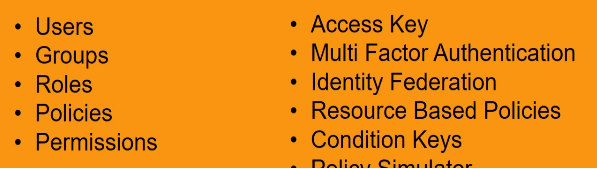
Users
Now users are individuals within your account who need to access and manage resources.
Each user has a unique set of security credentials. It means username and password or access keys for authentication.
Groups
Groups are collections of users. You can attach policies to groups, and it allows multiple users to share the same set of permissions.
This simplifies permission management and ensures consistency.
Roles
Roles are similar to users, but they are not associated with specific individuals. Instead, they are intended to be assumed by AWS services for users, for users to grant temporary permissions.
Roles are often used to grant permissions to AWS services like Lambda functions or EC2 instances.
Policies
A policy is a JSON document that defines permissions. It specifies what actions are allowed or denied on which resources.
Policies can be attached to users, groups, or roles.
Permissions
Permissions determine what actions, users, groups, or roles are allowed to perform on resources.
It uses a deny by default model. It means that unless a permission is explicitly granted, access is denied.
Access Key
Access keys consist of an access key ID and a secret access key. They are used for programmatic access to AWS services.
Multi Factor Authentication (MFA)
MFA adds an additional layer of security by requiring users to provide two or more pieces of evidence or factors to authenticate.
This typically involves something the user knows, like password and something the user has like MFA device.
Identity Federation
It allows you to use external identity providers like Active Directory or Facebook to grant temporary access to resources without creating IAM users.
Resource Based Policies
These policies are attached directly to AWS resources such as S3 buckets or topics, and define who can access those resources.
Resource based policies work in addition to identity based policies.
Condition Keys
We have condition keys, where IAM policies can include conditions that further define when a policy is applicable.
For example, you can specify that a user is only allowed to perform an action if the request is originating from a specific IP address range.
Policy Simulator
AWS provides a policy simulator that helps you test and understand the effects of different policies before implementing them in your environment.
How we can access AWS IAM ?
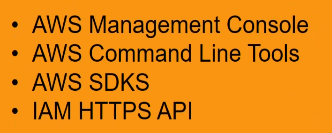
AWS Management Console – So the console is a browser based interface to manage IAM AWS resources.
AWS Command Line Tools – to issue commands at your system’s command line to perform AWS IAM tasks.
Using the common line can be faster and more convenient than the console. The command line tools are also useful if you want to build scripts that perform tasks.
AWS SDKs – AWS provides SDK or we can say software development kits that consists of libraries and sample codes for different programming languages and platforms like Java, Python, Ruby, DotNet, iOS, Android, etc.
These SDKs provide a convenient way to create programmatic access to AWS IAM.
AWS HTTPS API – You can access IAM programmatically by using the https API, which lets you issue Https requests directly to the service.
When you use the https API, you must include code to digitally sign requests using your credentials, and this will be for the IAM https API.

