Introduction
Before we begin our programming journey, let’s quickly talk about some hardware basics that you must know as a programmer.
First thing we learn is about input and output devices.
The devices that we use to provide input to the computer are called input devices. Ex: keyboard, mouse, touchpad, scanner, mic, etc.
Output devices are the devices through which computer gives us output. Ex: monitor, speaker, earphones, etc.
Keyboard
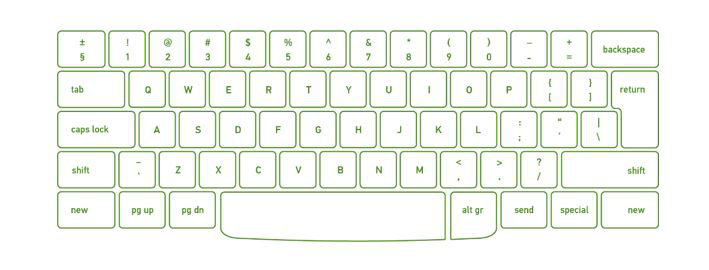
For entering data into a computer, the keyboard is the most common and commonly used input device. It contains various keys for entering letters, numbers, characters. Although there are some additional keys for completing various activities, the keyboard layout is identical to that of a standard typewriter.
Characteristics of Keyboard :
- The keyboard has various functions keys for a different purpose
- Instead of using the mouse, we can utilize the arrow keys on the keyboard to do the same purpose as the mouse.
- The main keyboard, cursor keys, numeric keypad, and function keys are the four primary components of a keyboard.
Mouse
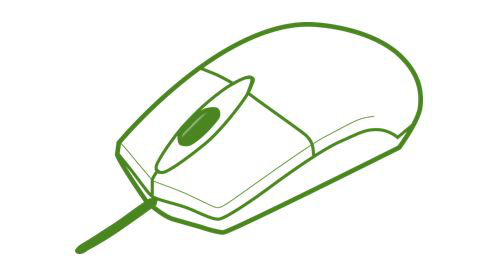
The mouse is the most used pointing device. While clicking and dragging, the mouse moves a little cursor across the screen.
If you let off of the mouse, the cursor will come to a halt. You must move the mouse for the computer to move; it will not move on its own. As a result, it’s a device that accepts input. Or we can say that a mouse is an input device that allows you to control the coordinates and movement of the on-screen cursor/pointer by moving the mouse on a flat surface. The left mouse button can be used to pick or move items, while the right mouse button displays additional menus when clicked. It was invented in 1963 by Douglas C. Engelbart.
Types of mouse:
Generally, the mouse is of four types:
- Trackball Mouse
- Mechanical Mouse
- Optical Mouse
- Wireless Mouse
Characteristics of the mouse:
- A mouse is used to move the cursor on the screen in the desired direction.
- A mouse allows users to choose files, folders, or multiple files or text or, all at once.
- Hover over any object with the mouse pointer.
- A mouse can be used to open a file, folder, etc. You must first move your pointer to a file, folder, and then double-click on it to open or execute.
Scanner
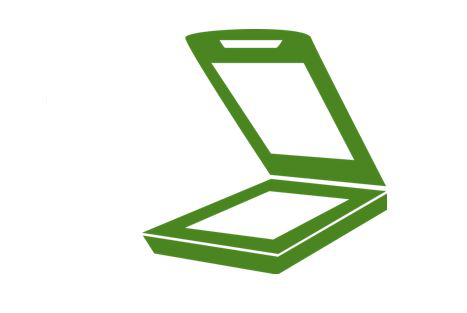
A scanner is a type of input device that works in the same way as a photocopier. It’s used when there’s data on paper that needs to be transferred to the computer’s hard disc for further processing. The scanner collects images from the source and translates them to a digital version that can be saved on the hard disks. These graphics can be changed before they are printed.
Characteristics of Scanner:
- You can scan film negatives via a scanner if there is a transparent media adaptor.
- A scanner may also scan low-quality or non-standard-weight paper.
- The scanners are adaptable, allowing you to scan a wide range of items regardless of their size. You can scan small items as well as large documents if you can locate them.
Monitor
Monitors, also known as Visual Display Units (VDUs), are a computer’s primary output device. It creates images by arranging small dots, known as pixels, in a rectangular pattern. The amount of pixels determines the image’s sharpness.
Central Processing Unit (CPU) – It consists of the following features −
- CPU is considered as the brain of the computer.
- CPU performs all types of data processing operations.
- It stores data, intermediate results, and instructions (program).
- It controls the operation of all parts of the computer.
Computer memory is just like the human brain. It is used to store data/information and instructions. It is a data storage unit or a data storage device where data is to be processed and instructions required for processing are stored. It can store both the input and output.
Memory and types :
- Primary memory
- Secondary memory
- Cache memory
Primary Memory
It is also known as the main memory of the computer system. It is used to store data and programs or instructions during computer operations. It uses semiconductor technology and hence is commonly called semiconductor memory.
- It is faster computer memory as compare to secondary memory.
- It is semiconductor memories.
- It is usually a volatile memory.
- It is the main memory of the computer.
- A computer system cannot run without primary memory.
Primary memory is of two types:
(i) RAM (Random Access Memory)
(ii) ROM (Read Only Memory)
Secondary Memory
It is also known as auxiliary memory. It is a non-volatile memory and used to store a large amount of data or information. The data or information stored in secondary memory is permanent, and it is slower than primary memory. A CPU cannot access secondary memory directly. The data/information from the auxiliary memory is first transferred to the main memory, and then the CPU can access it.
- It is a slow memory but reusable.
- It is a reliable and non-volatile memory.
- It is cheaper than primary memory.
- The storage capacity of secondary memory is large.
- A computer system can run without secondary memory.
- In secondary memory, data is stored permanently even when the power is off.
Types of secondary memory:
(i) Magnetic Tapes
(ii) Magnetic Disks
(iii) Optical Disks
Cache Memory
It is a type of high-speed semiconductor memory that can help the CPU run faster. Between the CPU and the main memory, it serves as a buffer. It is used to store the data and programs that the CPU uses the most frequently.
Advantages of cache memory:
- It is faster than the main memory.
- When compared to the main memory, it takes less time to access it.
- It keeps the programs that can be run in a short amount of time.
- It stores data in temporary use.
Disadvantages of cache memory:
- Because of the semiconductors used, it is very expensive.
- The size of the cache (amount of data it can store) is usually small.
| S.No | Input Device | Output Device |
| 1. | Data is accepted from the user of the device | It shows the data after processing to the user |
| 2. | It accepts the user’s data and transmits it to the processor for saving in the secondary memory or processing. | It receives the data from the processor and returns it to the user. |
| 3. | More complex designing | Less complex designing |
| 4. | These devices are used to accept the data | These devices are used to display or show the data |
| 5. | Example: Keyboard, mouse, etc. | These devices are used to display or show the data |

