Required Tools
Tools required to develop C++ applications.
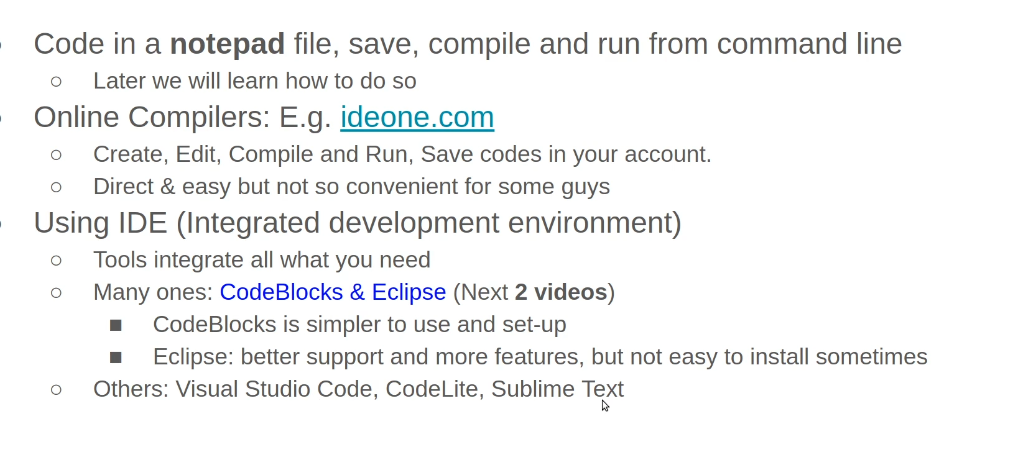
- Text Editor or Integrated Development Environment (IDE): A text editor or an IDE is used to write, edit, and save your C++ code. Some popular text editors for C++ include Visual Studio Code, Sublime Text, and Notepad++. Some popular IDEs for C++ include Visual Studio, Code::Blocks, and Eclipse.
- Compiler: A compiler is used to translate your C++ code into machine-readable code. The most popular C++ compiler is the GNU Compiler Collection (GCC), which is available for most operating systems. Other popular compilers include Clang and Microsoft Visual C++.
- Build system: A build system is used to automate the build process and manage dependencies. Some popular build systems for C++ include CMake, Autotools, and Meson.
- Version Control System (VCS): A VCS is used to manage changes to your code over time and collaborate with other developers. Git is the most popular VCS and is widely used in the C++ community.
- Debugger: A debugger is used to identify and fix errors in your code. Most IDEs come with a built-in debugger, but you can also use a standalone debugger such as gdb.
- Profiler: A profiler is used to measure the performance of your code and identify performance bottlenecks. Some popular profilers for C++ include Valgrind, Intel VTune, and Google’s CPU Profiler.
These are some of the essential tools required to build C++ applications. Depending on your project’s requirements, you may need to use additional tools and libraries.
Online compilers
- https://www.onlinegdb.com/online_c++_compiler
- http://coliru.stacked-crooked.com/
- https://godbolt.org/
- https://ideone.com/
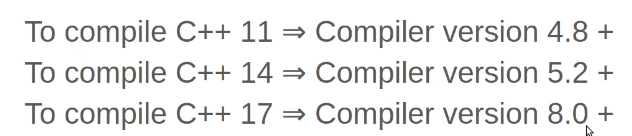
GCC compiler versions and the C++ standard
For example, to compile c++ 11 standard code, you need atleast gcc compiler version 4.8+.
To print active compiler standard
To print your activated compilation option, use below code
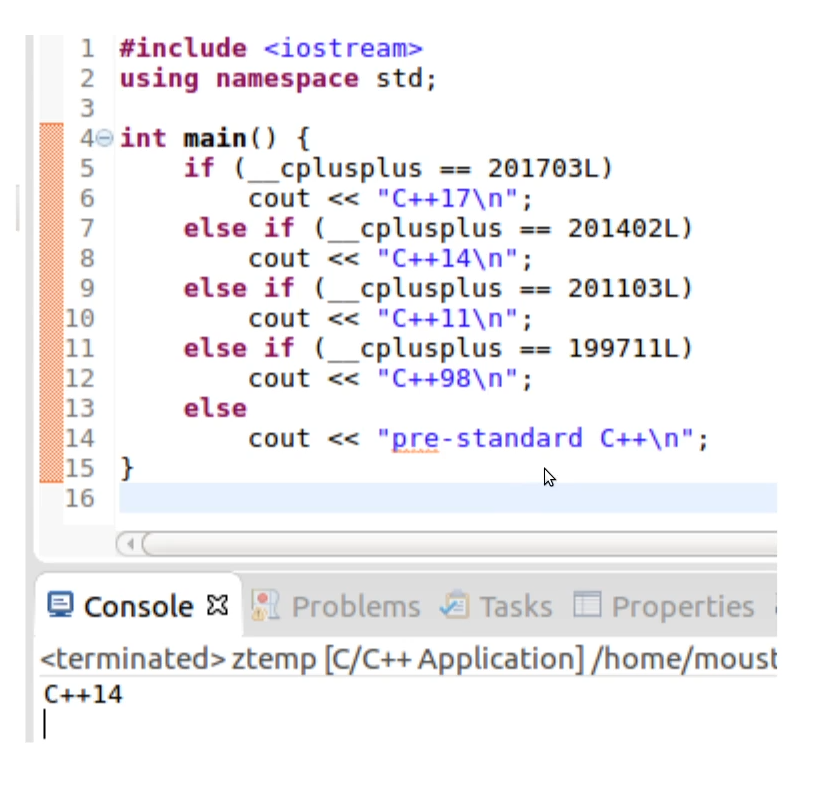
#include <iostream>
using namespace std;

int main() {
	if (__cplusplus == 201703L)
		cout << "C++17\n";
	else if (__cplusplus == 201402L)
		cout << "C++14\n";
	else if (__cplusplus == 201103L)
		cout << "C++11\n";
	else if (__cplusplus == 199711L)
		cout << "C++98\n";
	else
		cout << "pre-standard C++\n";
} Bits, Bytes and Brains