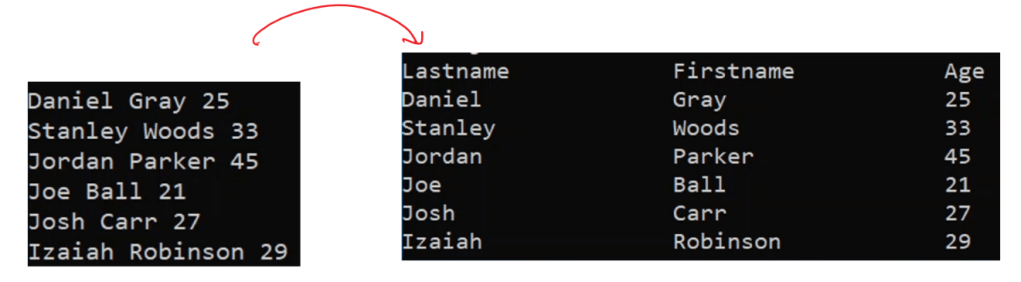
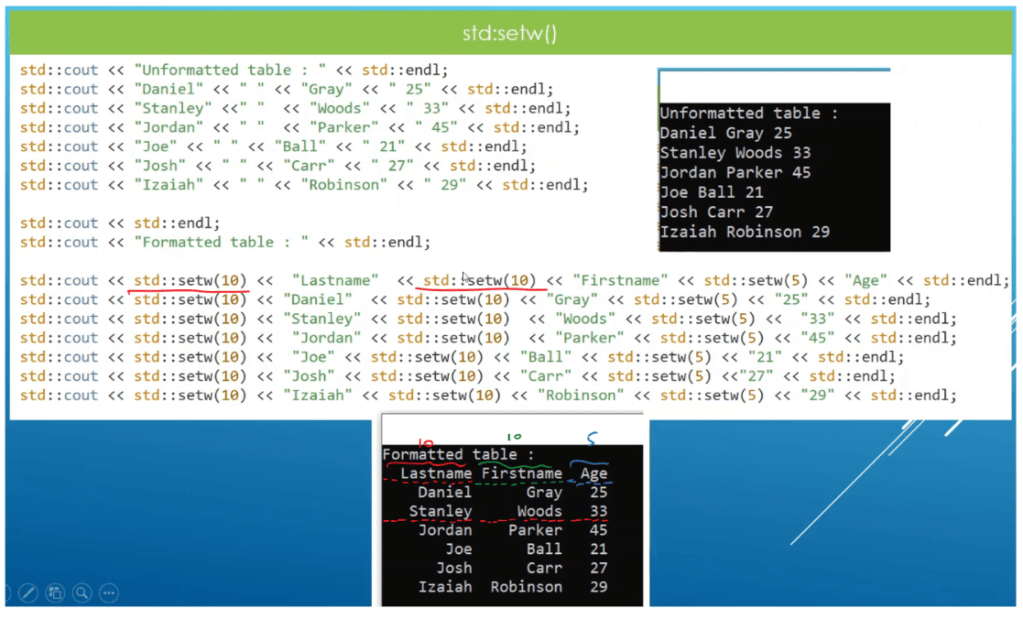
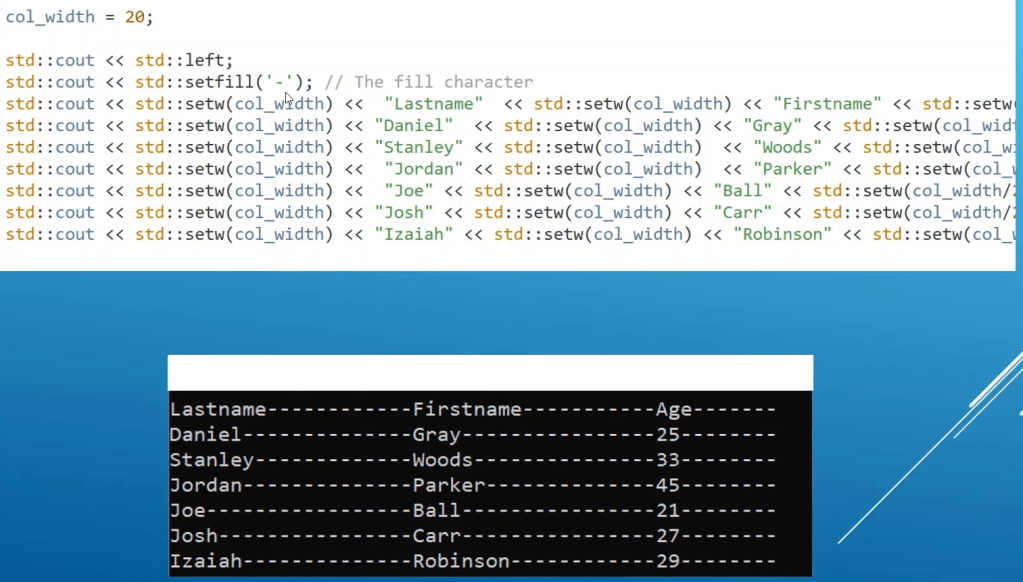
Let’s say we have a table data like below which is cramped and we want to turn it in to nice formatting.
Required header files
We need to use couple of header files to get our work done.
#include <ios>
#include <iomanip>
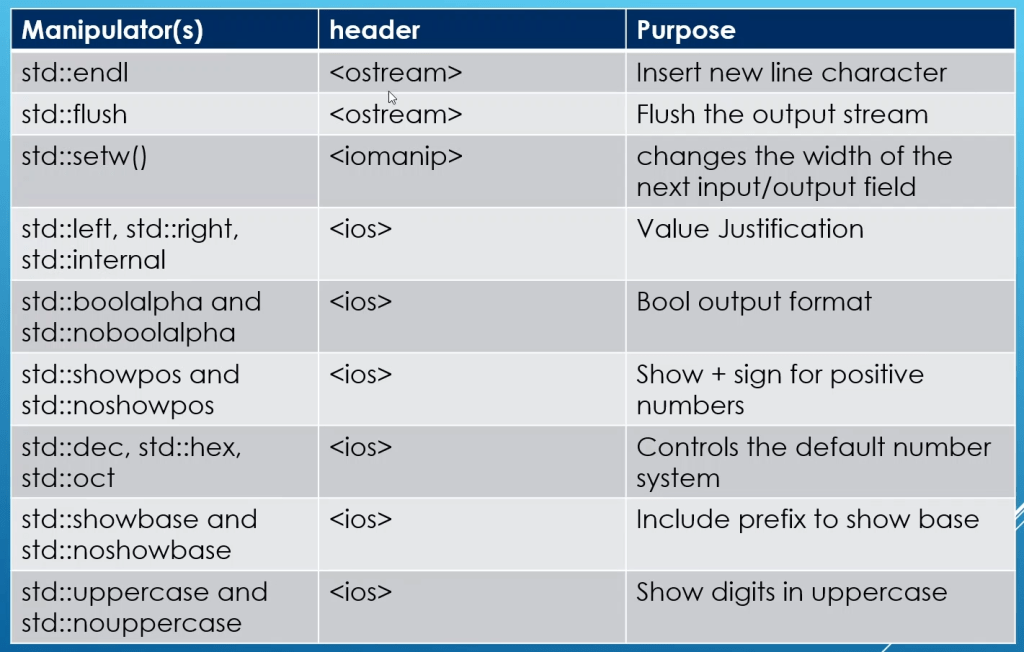
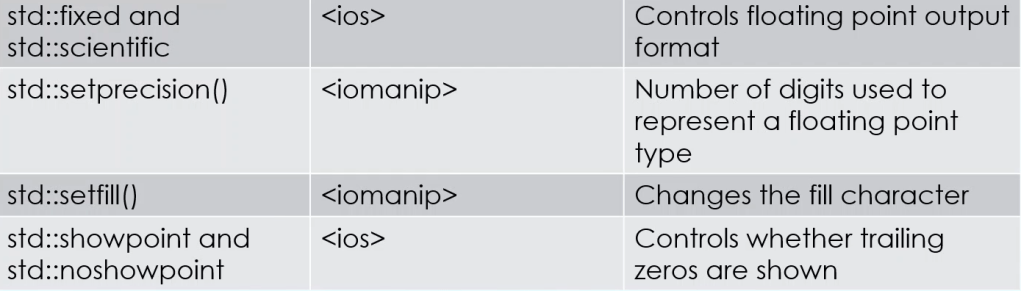
Few of the functions that we can use for our formatting stuff

Check here for documentation
std::endl
to print newline at the end of the line. We can also use ‘\n’ character.
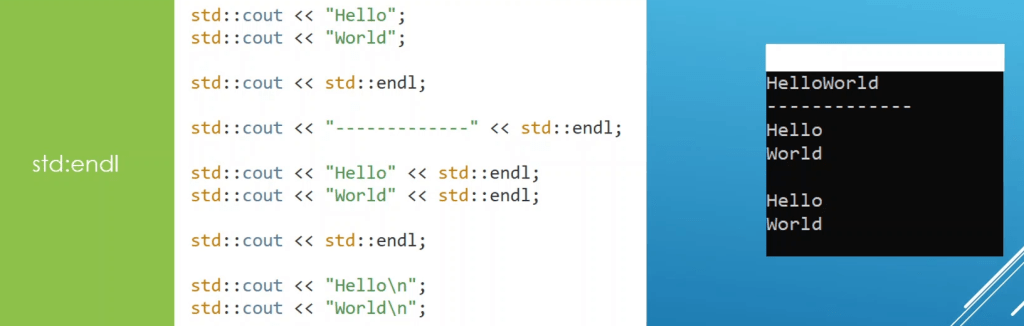
Comparison between std::endl vs \n
Endl flushes the output buffer and ‘\n’ doesn’t. Endl is actually slower because it forces a flush, which actually unnecessary. You would need to force a flush right before prompting the user for input from cin, but not when writing a million lines of output. Write ‘\n ’ instead of endl. **** The only difference is that std::endl flushes the output buffer, and ‘\n’ doesn’t. If you don’t want the buffer flushed frequently, use ‘\n’. If you do (for example, if you want to get all the output, and the program is unstable), use std::endl.
std::flush
Flushes the output sequence os as if by calling os.flush().
This is an output-only I/O manipulator, it may be called with an expression such as out << std::flush for any out of type std::basic_ostream.
// Flushing files (flush manipulator)
#include <ostream>      // std::flush
#include <fstream>      // std::ofstream

int main () {
  std::ofstream outfile ("test.txt");
  for (int n=0; n<100; n++)
    outfile << n << std::flush;

  outfile.close();
  return 0;
}
std::setw()
setw function is a C++ manipulator which stands for set width. The manipulator sets the ios library field width or specifies the minimum number of character positions a variable will consume. In simple terms, the setw C++ function helps set the field width used for output operations.
default – data is right justified.
std::right
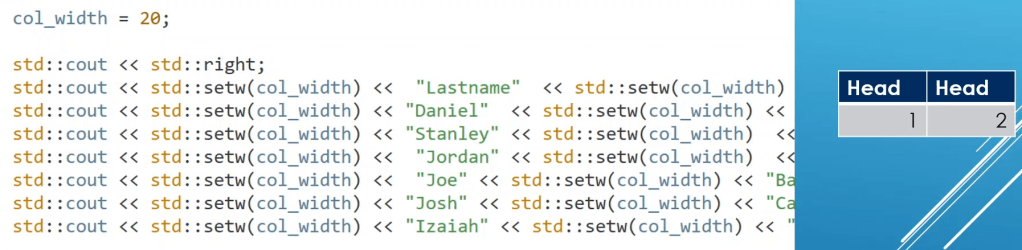
when we use std::setw() , this iomanipulator is used to specify right justification for formatting the data. [this is default manipulator]
std::internal
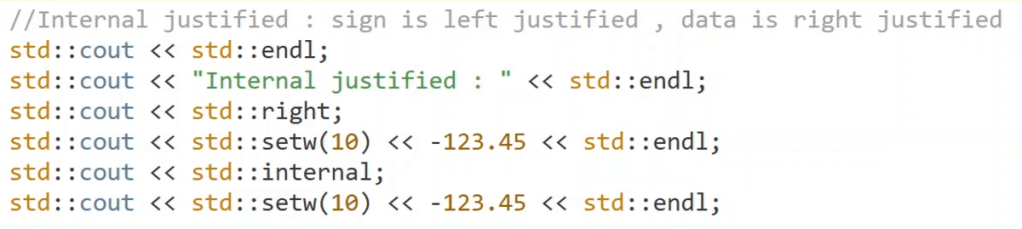
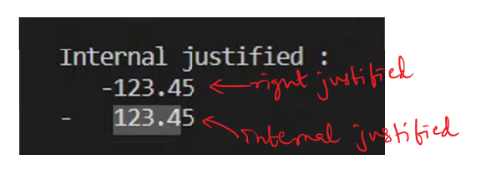
Internal justified data, this is useful for negative data. sign is left justified and data is right justified.
std::left and std::setfill()
- std::left – used for left justification of data.
- std::setfill() – you can specify fill character to use when justifying data as per std::setw().
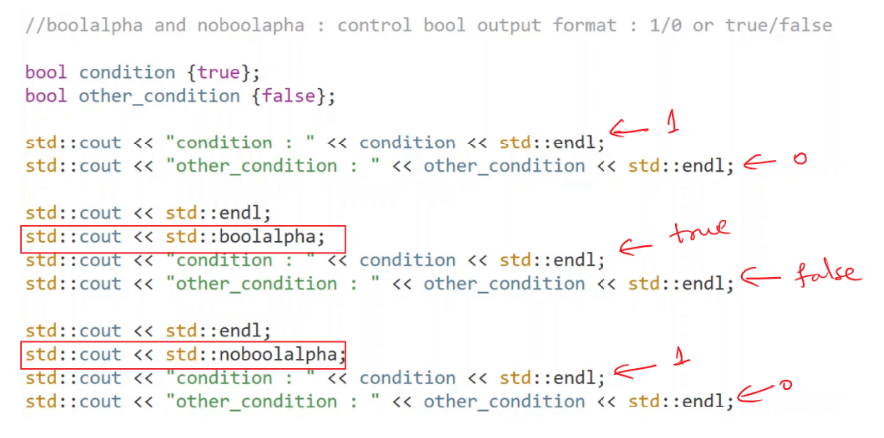
std::boolalpha
this is used to control bool output format. it shows the boolean values in true/false format.
to unset the behavior, we can use std::noboolalpha
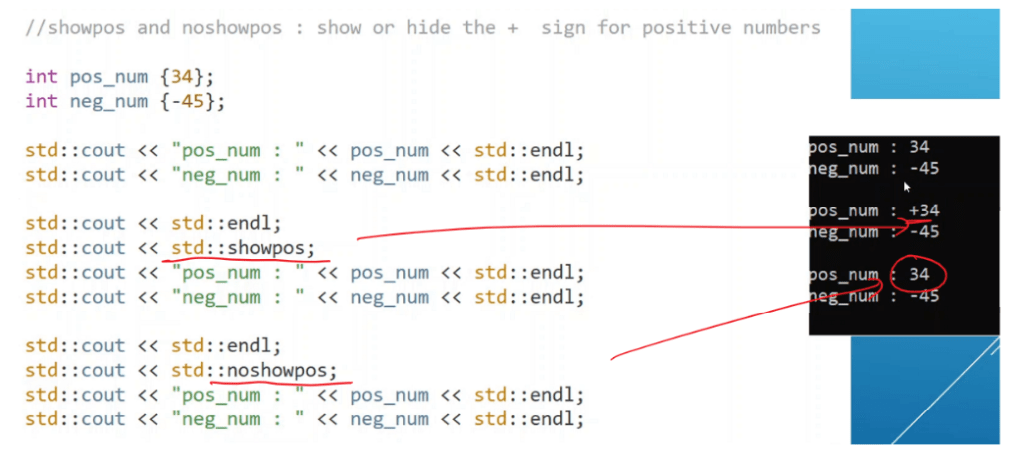
std::showpos
this manipulator can be used to show especially + sign of the data. Negative numbers the sign is anyway by default shown.
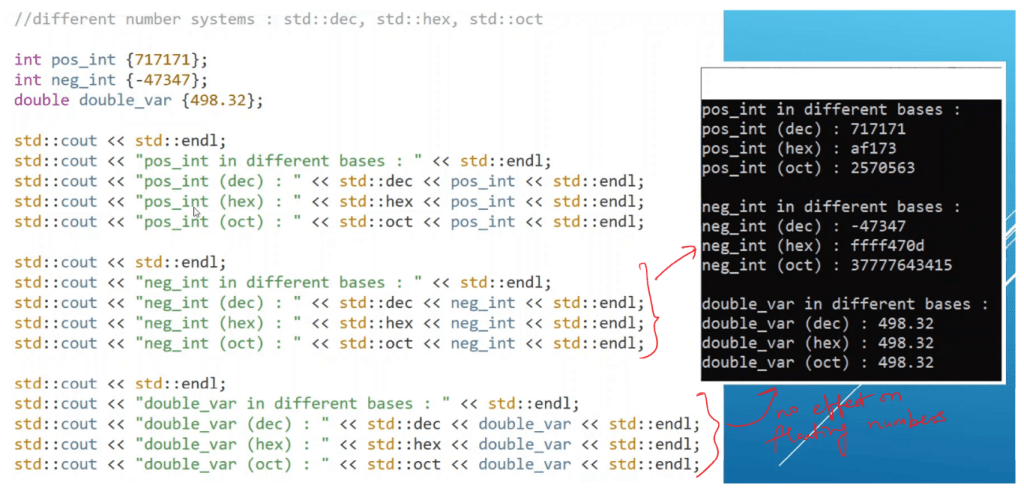
Show numerical data in different number systems (different bases)
- std::dec
- std::oct
- std::hex
these bases do not have any effect on floating point data.
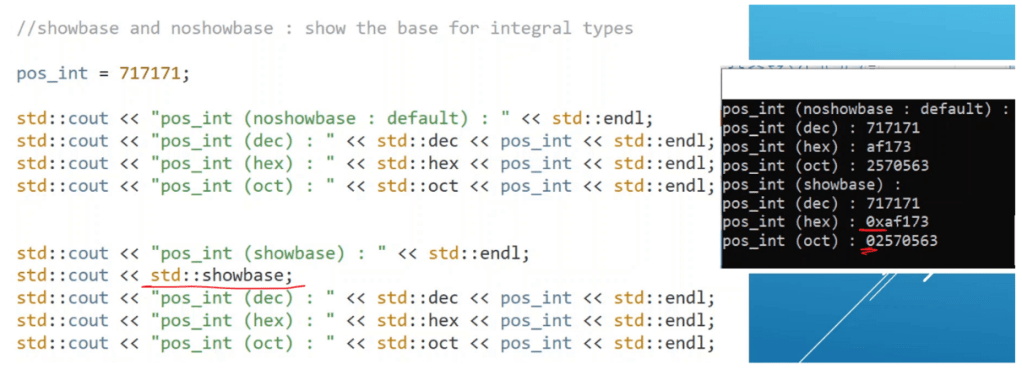
std::showbase
show the base for integral types.
- 0x – for hex
- 0 – for octal data
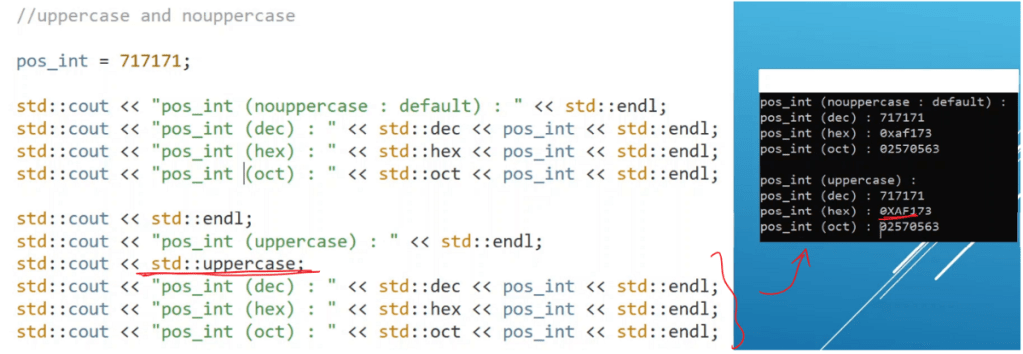
std::uppercase
only works for showing base in uppercase or not.
#include <iostream>
#include <iomanip>

int main() {
    std::cout << std::uppercase; // to show base in upper case
    int count = 717171;
    std::cout << std::showbase;
    std::cout << std::hex << count << std::endl;
    return 0;
}
Output : 0XAF173
std::scientific and std::fixed
default is scientific notation.
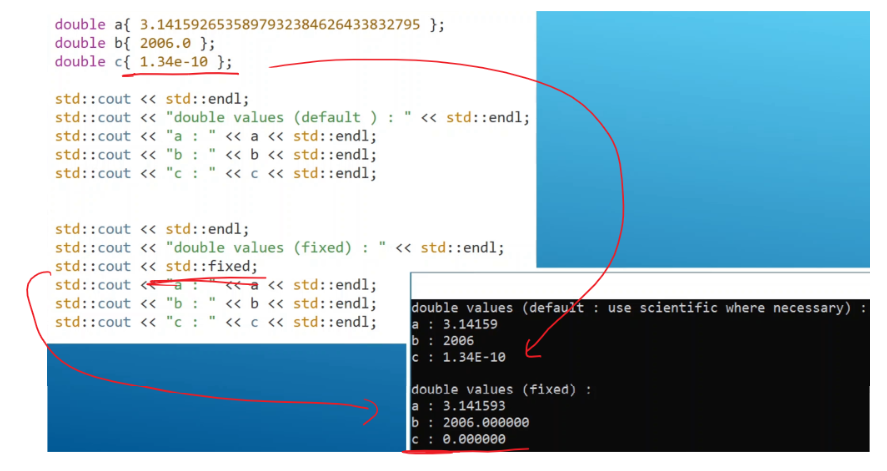
std::fixed – will force the output to be fixed format.
to force all values to be shown in scientific format – use std::scientific.
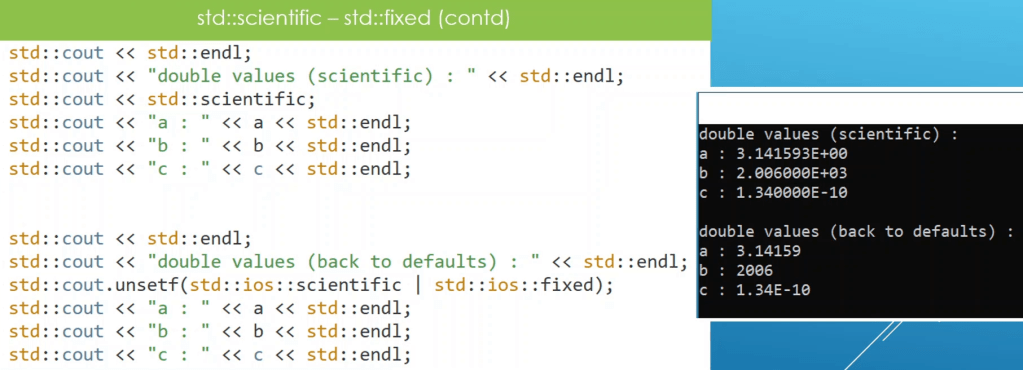
to unset, both scientific and fixed formats :
std::cout.unsetf(std::ios::scientific | std::ios::fixed);std::setprecision()
specify the number of digits to print for a floating point data.
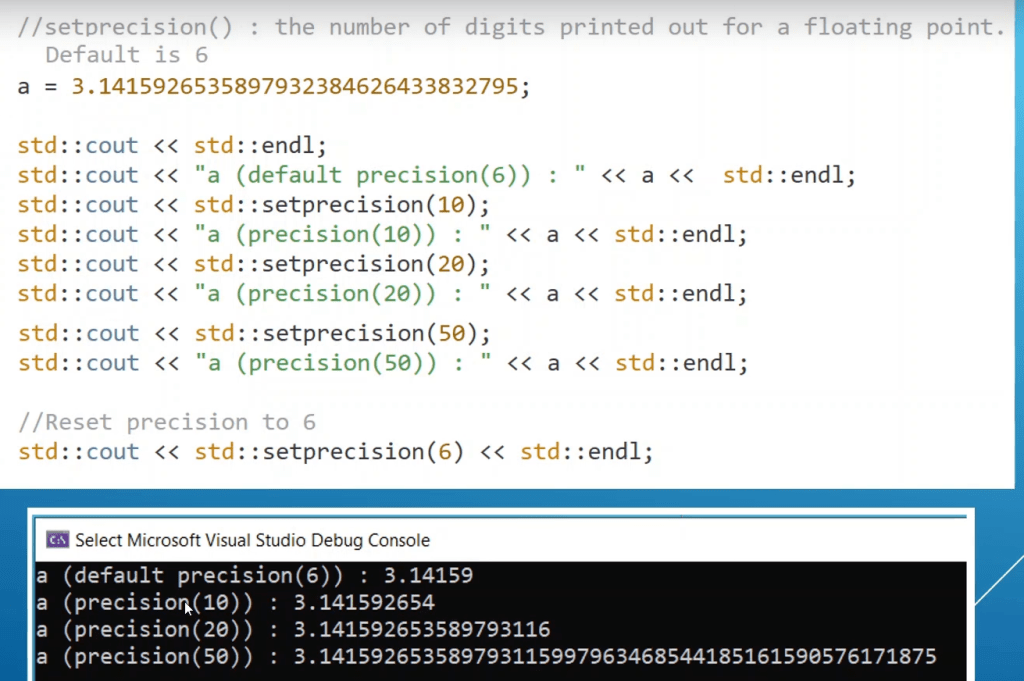
NOTE – If the precision is bigger than the value supported by the data type, what we’ll get is garbage value.
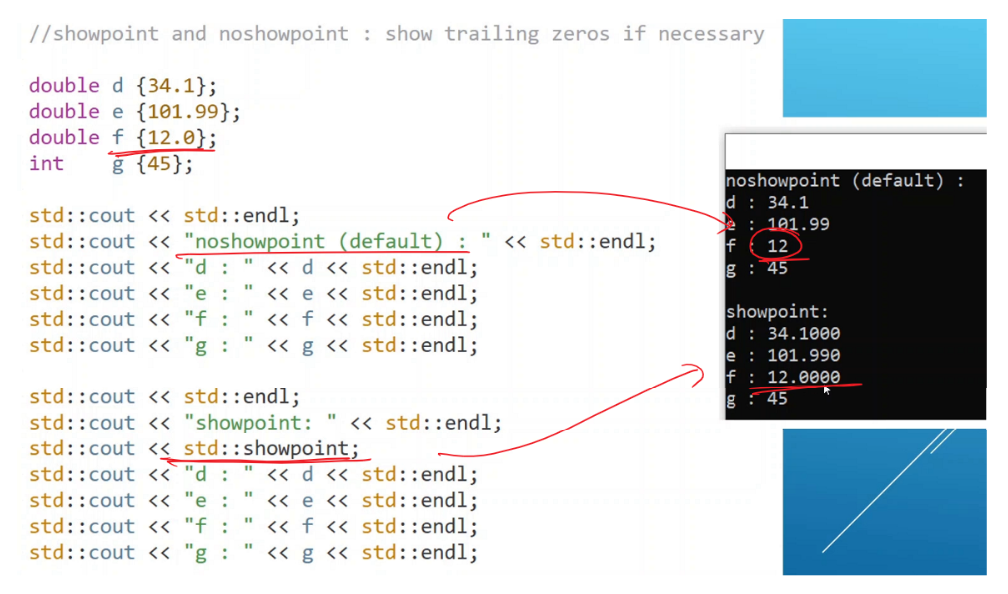
std::showpoint
to display the dot for floating point data.
Summary