What is Scala ?
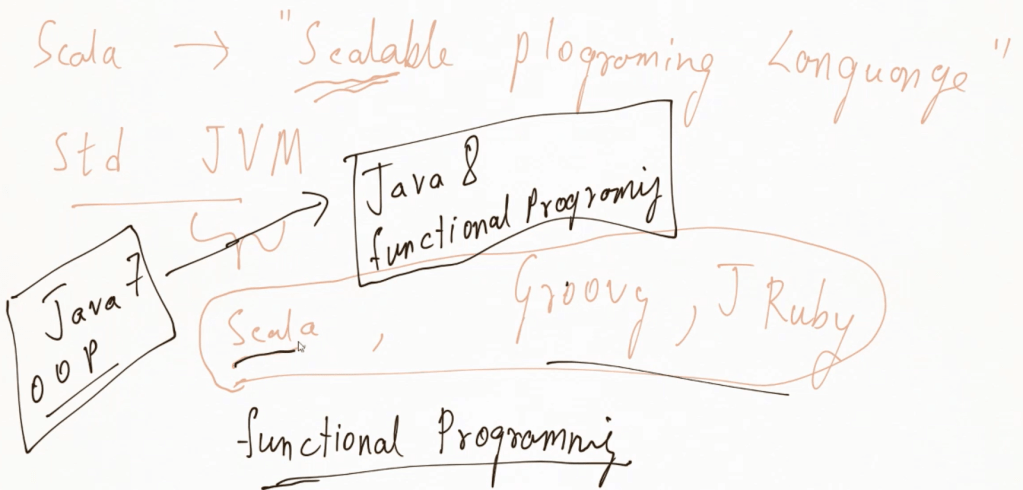
Scala is a high-level programming language that combines object-oriented and functional programming concepts. It is designed to be concise, elegant, and highly scalable, hence the name “Scala,” which is derived from “scalable language.”
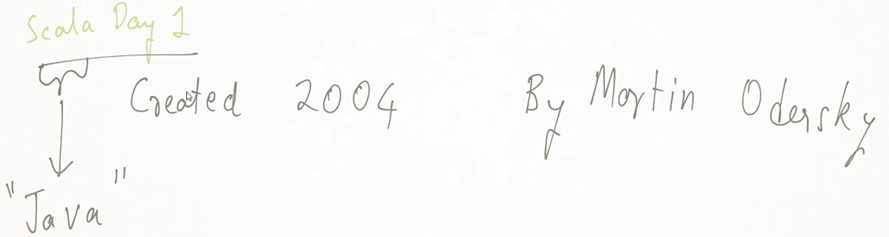
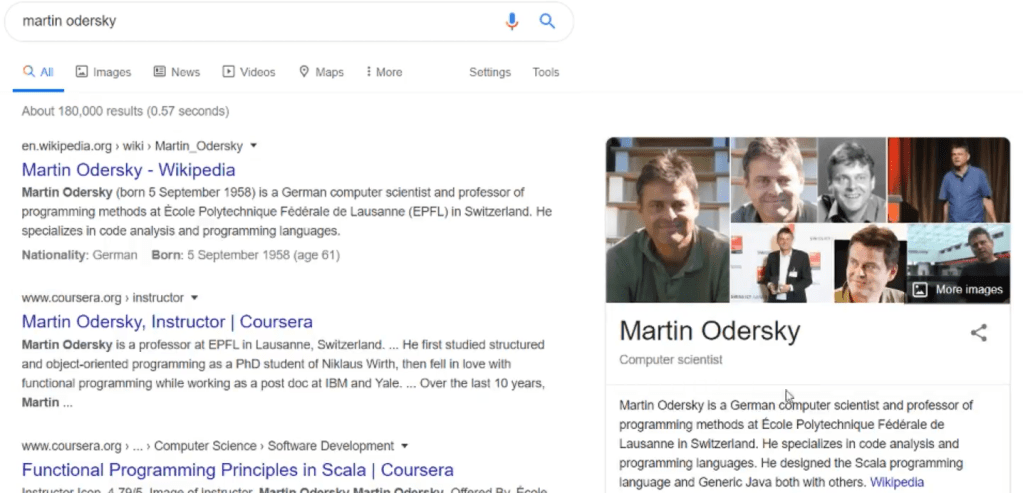
Scala is a programming language made on top of Java. It can run on any machine that can run Java.
It runs on Standard JVM that means each and every computer, be it Linux or Windows or whatever, if a machine can run Java, it can also Scala for you.
Scala is having features of Functional programming.
Until Java 7 — it was only OOP features.
Java 8 onwards — java started supporting functional programming style constructs with the help of lambda expressions.
Key features of Scala
- Object-Oriented: Scala treats every value as an object, allowing the use of familiar object-oriented concepts like classes, inheritance, and polymorphism.
- Functional Programming: Scala also supports functional programming paradigms, including immutability, higher-order functions, and first-class functions, making it easier to write concise, declarative code.
- Interoperability with Java: Scala runs on the Java Virtual Machine (JVM), allowing it to seamlessly integrate with existing Java libraries and frameworks. You can call Java code from Scala and vice versa.
- Static Typing with Type Inference: Scala has a strong static type system but also offers type inference, meaning you don’t always have to explicitly define types, making the code cleaner while still being type-safe.
- Concurrency Support: With libraries like Akka, Scala makes it easier to build highly concurrent, distributed applications.
It is often used in data processing, distributed computing, and web applications, especially in big data frameworks like Apache Spark.
When working with Spark for Big data, we have 4 options :
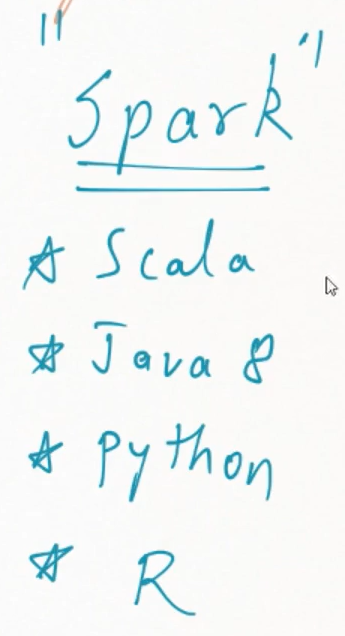
Scala is used almost 60-70%.
The Spark framework itself is written in Scala.
Scala runs on JVM
The Scala compiler generates bytecode when it compiles Scala source code. This bytecode is the same intermediate language that the Java compiler produces when compiling Java code. This bytecode is executed by the Java Virtual Machine (JVM), making Scala fully interoperable with Java.
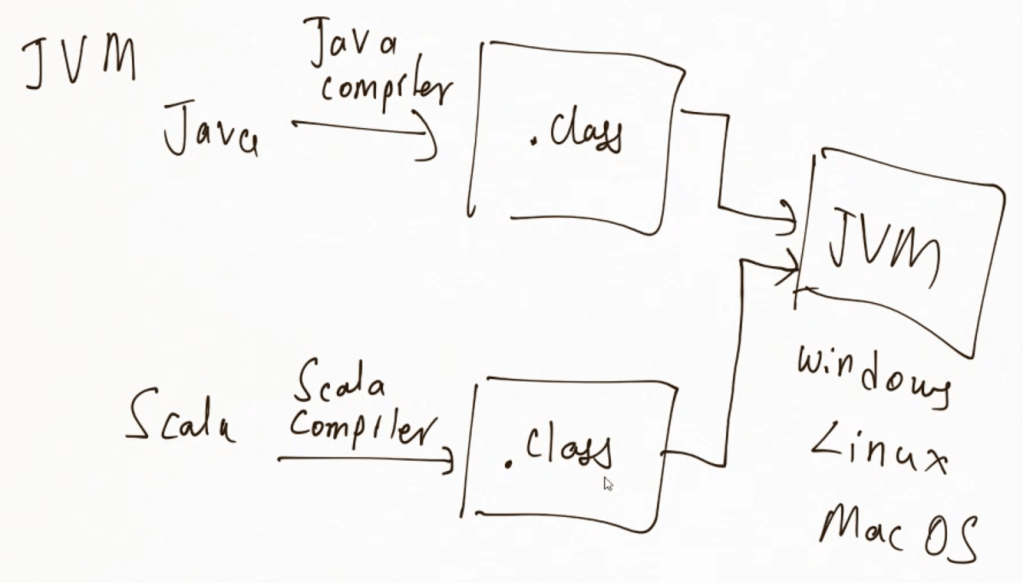
Here’s how Scala and JVM are related:
Compilation to JVM Bytecode:
- When you write Scala code, the Scala compiler (called
scalac) translates it into JVM bytecode, the same way Java source code is compiled by the Java compiler (javac). - This bytecode is platform-independent and can run on any machine that has a JVM installed.
Running on the JVM:
- Once the Scala code is compiled into bytecode, the JVM executes the bytecode, just as it would for Java programs. The JVM performs tasks such as memory management, garbage collection, and thread management for the running program.
Interoperability with Java:
- Since both Scala and Java compile down to JVM bytecode, Scala can use Java libraries, frameworks, and tools directly. You can write part of your code in Scala and part in Java, and they can work together seamlessly.
Wherever you can run a Java program, you can run a Scala program. You don’t have any more requirement for running a Scala program.
Scala’s program execution environment is tightly integrated with the Java ecosystem because Scala runs on the Java Virtual Machine (JVM).
Scala Execution Environment
Here’s a breakdown of the Scala program execution environment:
Development Tools:
- Text Editors/IDEs: You can write Scala code in any text editor (like VS Code or Sublime Text), but most Scala developers prefer Integrated Development Environments (IDEs) such as IntelliJ IDEA with the Scala plugin or Eclipse with the Scala IDE plugin.
- Build Tools: For managing dependencies, compiling code, and automating the build process, popular tools like SBT (Simple/Scala Build Tool), Maven, and Gradle are used. SBT is specifically designed for Scala projects and is the most common build tool for Scala.
Scala Compiler (scalac):
- Compilation: The
scalaccompiler converts Scala source code (.scalafiles) into JVM bytecode (.classfiles). The bytecode is stored in files similar to Java’s compiled classes. - Error Checking: During compilation,
scalacperforms type checking, syntax validation, and other error-checking processes.
Java Virtual Machine (JVM):
- Execution: Once compiled into bytecode, the JVM executes the code. The JVM abstracts away the underlying hardware, so your Scala programs can run on any platform that supports the JVM (Windows, macOS, Linux, etc.).
- Garbage Collection: The JVM handles memory management and garbage collection, ensuring that unused objects are removed automatically.
- JIT Compilation: The JVM uses Just-In-Time (JIT) compilation to optimize the bytecode for faster execution.
Runtime Environment:
- Scala Standard Library: Scala has its own standard library, which provides rich collections, concurrency support, functional programming utilities, and more. This library is loaded at runtime.
- Interoperability with Java Libraries: Since Scala runs on the JVM, you can use Java libraries and frameworks alongside Scala. Java code can call Scala code, and vice versa.
REPL (Read-Eval-Print Loop):
- Scala provides an interactive command-line shell known as the REPL, which stands for Read-Eval-Print-Loop. It allows you to enter Scala expressions interactively and see their results immediately. This is great for experimenting with code snippets, testing functions, and quick prototyping.
- You can launch the REPL by simply typing
scalain your terminal (assuming Scala is installed).
Packaging and Distribution:
- You can package Scala applications into JAR (Java ARchive) files, just like Java programs. These JAR files contain the compiled bytecode and can be run on any machine with a JVM.
- Running a Scala Program: You can execute the compiled Scala program using the
scalacommand, similar to how Java programs are run using thejavacommand. The Scala runtime library (scala-library.jar) must be available on the classpath during execution.
Concurrency and Distributed Computing:
- Scala has strong support for concurrency through frameworks like Akka (which implements the actor model) and Scala Futures/Promises.
- Scala is also widely used in big data and distributed computing environments, particularly with Apache Spark, a popular big data processing framework written in Scala.
Execution Flow:
- Write Scala code in
.scalafiles. - Compile the code with
scalacto generate bytecode. - The bytecode is executed on the JVM.
- At runtime, the Scala Standard Library, as well as any Java libraries used, are linked and executed alongside the compiled code.
In summary, the Scala execution environment is primarily the JVM, and Scala benefits from all JVM features while providing additional functionalities for functional and object-oriented programming.
Java v/s Scala
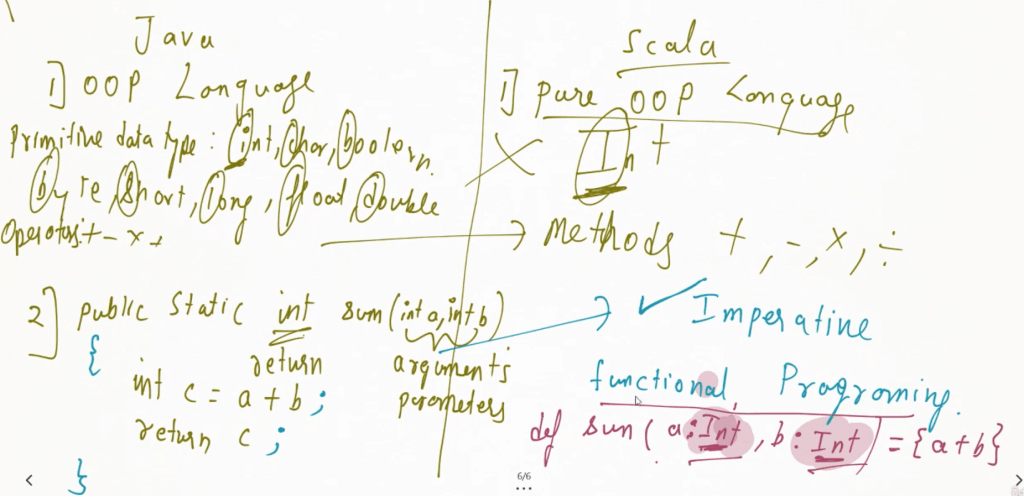
- Java is primarily object-oriented, has more verbose syntax, and is widely used in enterprise applications.
- Scala is more concise, supports both object-oriented and functional programming, and is known for its use in data processing, concurrency, and distributed systems.
Both languages have their strengths and can coexist in the same projects due to their interoperability through the JVM.
Here’s a comparison of Java and Scala, highlighting their key differences:
| Feature | Java | Scala |
|---|---|---|
| Programming Paradigm | Object-Oriented (primarily) | Pure OOP and supports both Object-Oriented and Functional Programming |
| Syntax | Verbose, requires more code for simple tasks | Concise, allows more expressiveness with fewer lines |
| Type Inference | Requires explicit type declarations in most cases | Strong type inference, reducing the need for explicit types |
| Functional Programming | Functional programming is supported but not central | Functional programming is a first-class citizen |
| Interoperability with Java | Seamless within the Java ecosystem (e.g., libraries, frameworks) | Seamless, fully interoperable with Java libraries and frameworks |
| Concurrency Model | Multithreading, Executors, and the java.util.concurrent package | Advanced concurrency with Akka (Actor Model) and Futures |
| Immutability | Optional, most collections are mutable by default | Encourages immutability; many data structures are immutable by default |
| Pattern Matching | Basic switch-case statements | Advanced pattern matching, allowing more complex operations |
| Compilation Time | Faster (especially for large projects) | Slower compared to Java due to additional features like type inference |
| Error Handling | Standard exception handling (try-catch-finally) | Provides both standard exception handling and functional alternatives like Try, Option, and Either |
| Traits vs. Interfaces | Interfaces with default methods in newer versions | Traits (similar to interfaces, but can have implemented methods) |
| Operator Overloading | Not supported | Supported, allows defining custom behavior for operators |
| Lambdas and Closures | Introduced in Java 8 with limited functionality | Fully supports lambdas and closures since the beginning |
| Collections API | Rich, but lacks immutability and higher-order functions | Powerful collections library with built-in support for immutability and higher-order functions |
| REPL | Not available (although external tools exist) | Built-in REPL (Read-Eval-Print-Loop) for interactive programming |
| Community and Adoption | Larger, more mature ecosystem, widely used in enterprise software | Smaller community, popular in data processing and big data frameworks like Apache Spark |
| Learning Curve | Easier for beginners due to simplicity and widespread documentation | Steeper learning curve, especially for developers new to functional programming |
| Lazy Evaluation | No native support (added via third-party libraries) | Built-in support for lazy evaluation using lazy keyword |
| Case Classes | Not available (POJO must be manually written) | Supports case classes, which automatically provide features like immutability, pattern matching, and concise data structure definitions |
| Backward Compatibility | Strong focus on backward compatibility | Some versions may introduce changes that are not backward compatible |
| Big Data Ecosystem | Can be used with big data tools but not as common | Preferred language for big data frameworks like Apache Spark |
Scala is a statically typed language. This means that the types of variables, expressions, and functions are checked at compile time rather than at runtime. In a statically typed language like Scala, the compiler ensures that the type correctness of the program is validated before execution, helping to catch type-related errors early in the development process.
However, while Scala is statically typed, it also has type inference, which means the compiler can often infer the type of a variable or expression without requiring you to explicitly declare it. This gives Scala some of the benefits of dynamically typed languages (such as concise code) while retaining the safety of static typing.
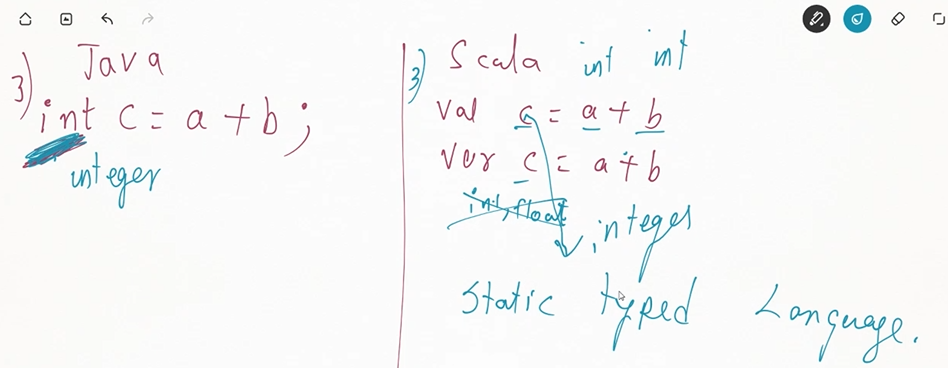
// Explicit type declaration
val x: Int = 10

// Type inference (Scala infers x is of type Int)
val y = 10
Even though you don’t always need to declare types explicitly, the Scala compiler knows and checks the types behind the scenes. This combination of static typing with type inference makes Scala both type-safe and less verbose than languages like Java.
 Bits, Bytes and Brains